Your customers have problems
worth solving

They're just not telling you about them. Their staff work around broken processes every day and nobody reports it. Not IT issues. Business problems. The kind that cost real money and lead to real projects. Pain Points surfaces them for you.

Start Free Trial

Free 30-day trial. No credit card. Works with any Microsoft 365 tenant.
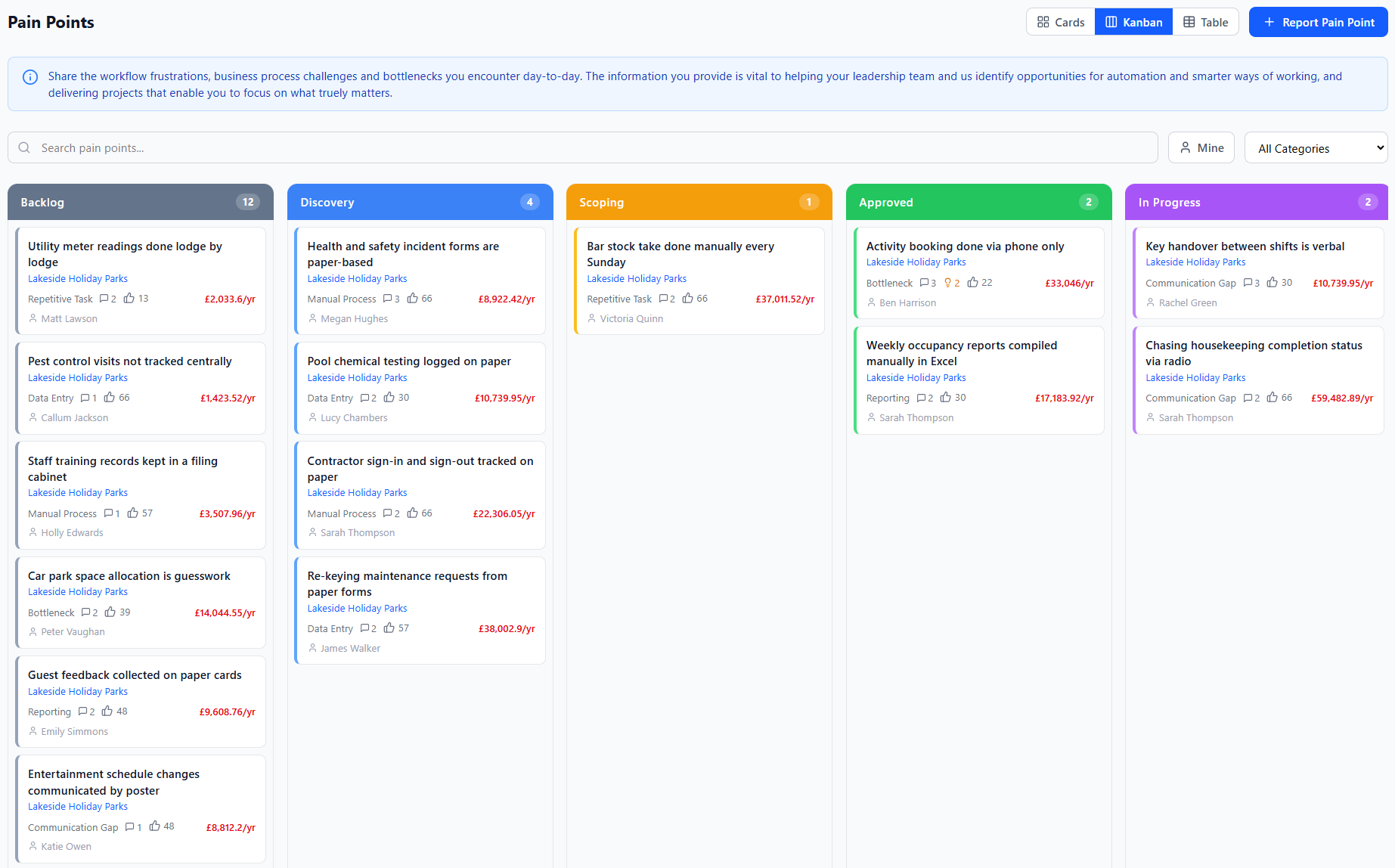
Pain Points dashboard showing pain points across customer organisations

Here's what's actually happening

Your customers' staff are frustrated. They moan to each other about the same broken processes week after week. But nobody tells you, because there's no easy way to. That's projects sitting on the table that you don't even know about.

Someone speaks up

A finance team member reports that month-end expenses take 3 days of copy-pasting. Pain Points works out that's £18,000/year in wasted time.

You already know the fix

You scope it out. £12,000 to automate. The customer doesn't push back because the numbers are right there. Their own staff reported it.

They save, you earn

They stop wasting £18K a year. You pick up the project fee and a £6,000/year support contract. Nobody had to be sold anything.

Do the maths on your customer base

Adjust the sliders to match your practice. See what Pain Points could surface.

customers

×

actionable pain points each per year

£1,250,000

total annual pain identified

£312,500

potential project revenue (25%)

£125,000

recurring support revenue (10%)

That's £437,500 in addressable revenue from your existing customer base.

And Pain Points finds it for you.

The 5-year story of a single pain point

What happens when you find a £25,000/year problem and solve it?

Year 1 Year 2 Year 3 Year 4 Year 5 Total
Cost of doing nothing
Partner solution cost
Customer saving

Project fee charged in year 1. Recurring support charged every year. The customer saves money from day one. The gap widens every year.

How it works for you

Getting started takes minutes, not days.

1

Add the customer

Pick them from your GDAP customer list or type in their tenant ID. Choose their business areas and categories. Done.

2

Their staff start reporting

They sign in with their normal Microsoft 365 account and fill in a short form. What's the problem, how often does it happen, how long does it take. That's it.

3

You see what they're reporting

Everything lands in your dashboard, sorted by cost. It's pretty obvious pretty quickly which customers have the most expensive problems.

4

Propose something

You can suggest a fix against any pain point. Their staff vote on it. When you turn up to the next review, you're not asking for work. You've already got a list of things they want done.

5

Deliver it, close it off

Do the work, mark it done. The platform keeps a record of how much money that saved. Handy when someone asks what you've actually delivered this year.

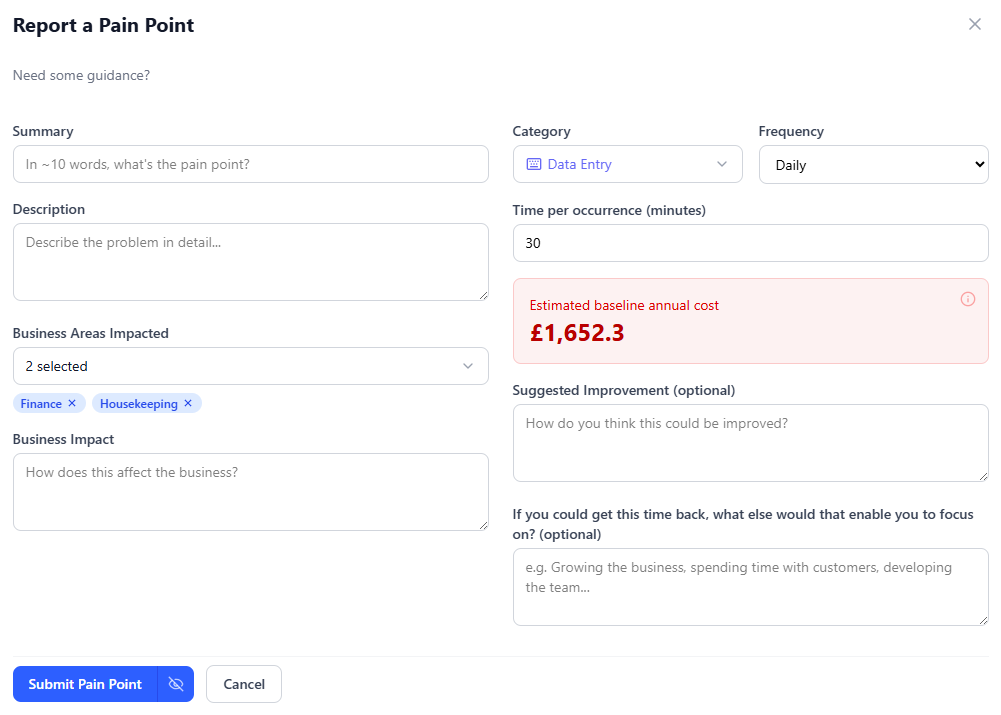
Submitting a pain point
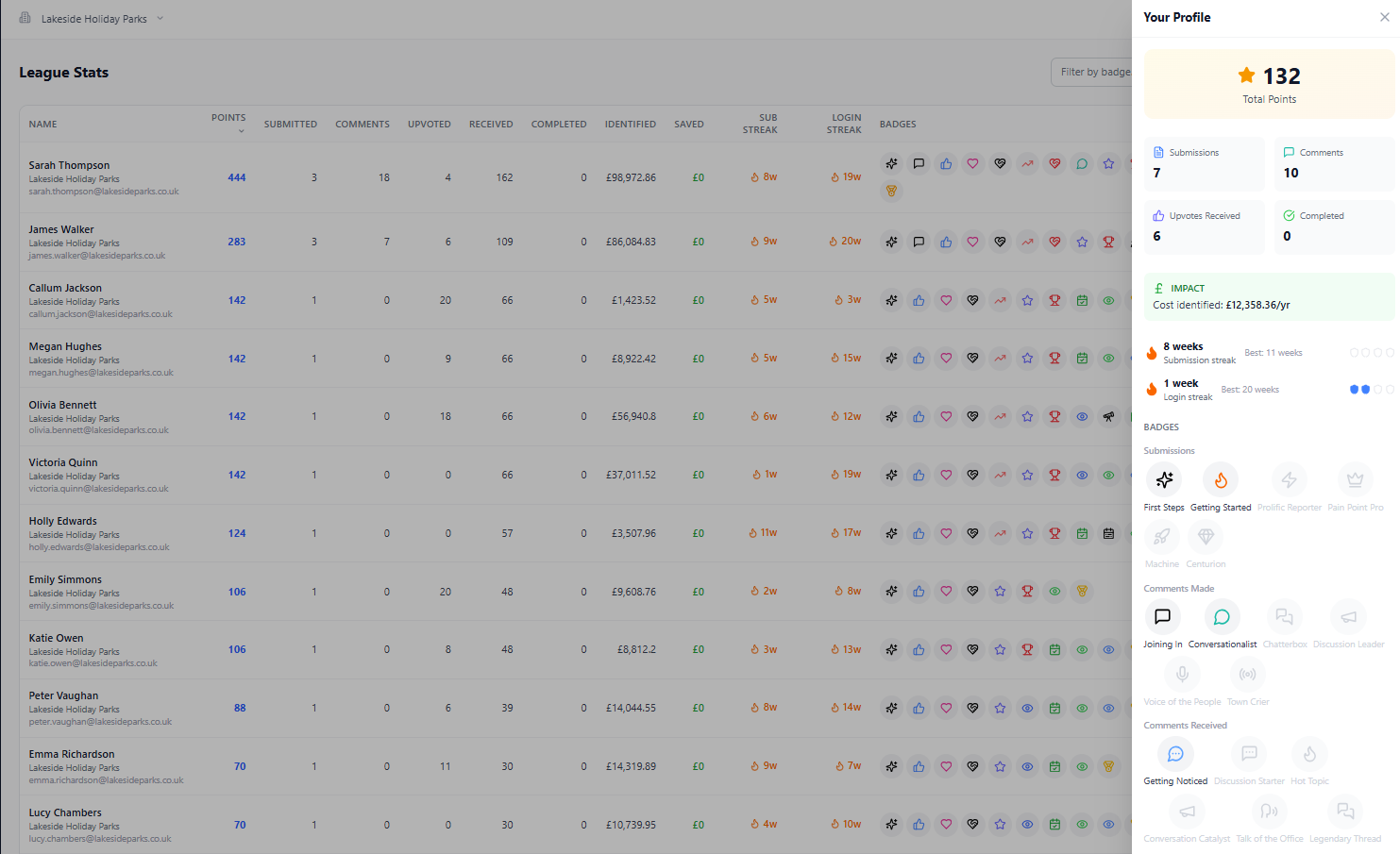
Badges, leaderboards and rewards

What's included

Everything you need to run this across your customer base. Nothing hidden behind premium tiers.

One dashboard for everyone

All your customers in one place. Data is completely separate between them. Adding a new customer takes about two minutes.

Your branding, not ours

Customers see your logo when they sign in. They don't need to know who built it.

See what keeps coming up

When the same problem appears across multiple customers, you've got a repeatable fix you can package once and deliver again and again.

Costs are calculated automatically

Staff say how often something happens and how long it takes. The platform turns that into an annual figure. You don't have to guess or estimate anything yourself.

Suggest fixes before the meeting

You can propose a solution directly against a pain point. The customer's staff vote on it. Useful for getting a feel for appetite before you walk in with a quote.

Staff don't get bored of it

There's a points system, badges, leaderboards. Customers can add their own rewards too. It keeps people coming back and reporting, which means you keep seeing new problems to solve.

Works with Microsoft 365

Everyone signs in with their existing M365 account. There's nothing to install and no extra passwords to manage.

Pulls from Partner Center

If you've got GDAP set up, you can look up customers directly. Saves digging through the Azure portal for tenant IDs.

Think about your next review meeting

You could ask "is there anything else we can help with?" like usual.
Or you could open with:

"Your team flagged 47 things that are costing the business around £285,000 a year. We've looked at the top 10 and there are five we think are worth tackling first. Here's what we'd suggest."

That's not a pitch. That's their own staff telling you where the money's going.

Frequently asked questions

Will my customers know it's not my own platform?

Not unless you tell them. Your logo and colours go on their login page, so it looks like yours. Grenadier Computing only appears in the legal small print as the data processor.

Can my customers see each other's data?

No. Each customer is completely walled off. They only see their own stuff. You get the cross-customer view, but they don't.

What's the GDAP thing about?

If you've got GDAP relationships set up in Partner Center, Pain Points can pull your customer list automatically when you're adding a new org. Saves you digging around for tenant IDs. It's read-only and only runs when you click the button. Nothing changes in the customer's environment.

How do my customers' staff sign in?

With their normal Microsoft 365 login. You send a consent link to their IT admin, they approve it once, and everyone's in. No installs, no new accounts.

Am I locked in?

No. Month to month, cancel whenever. Add and remove customers as you go. The 30-day trial is free so you can try it properly before paying a penny.

Do I have to support end users?

Same as everything else. You support your customers, we support you. We're here for partner admins and customer admins. There are help pages built into the app so most questions answer themselves.

Where's the data stored?

Microsoft Azure, UK South region. SQL Server with encryption at rest (AES-256) and in transit (TLS 1.2+). Secrets in Azure Key Vault. Each customer's data is isolated at every level. There's no way for one customer to see another's data.

Is it GDPR compliant?

Yes. There's a published Privacy Policy and Data Processing Agreement. Your customers' organisations own their data. We don't sell it, share it, or use it for anything other than running the platform.

See what your customers aren't telling you

Free for 30 days. No card needed. Add your first customer in a few minutes.

Start Free Trial